

AppLock
AppLock is a privacy and security application designed to protect personal information, apps, photos, and videos on Andr
AppKhanaPreview
About this app
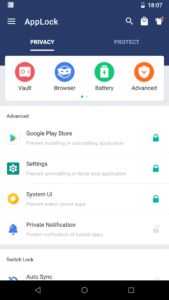
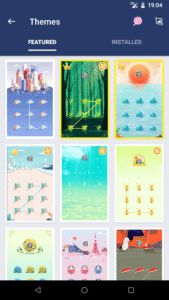
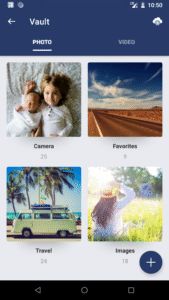
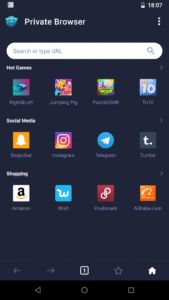
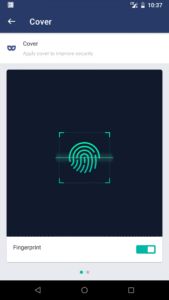
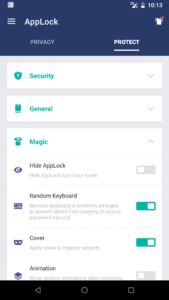
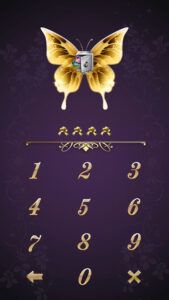
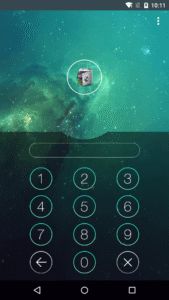
## About AppLock AppLock is a privacy and security application designed to protect personal information, apps, photos, and videos on Android devices. It allows users to lock selected applications with a password, PIN, or pattern, helping prevent unauthorized access to private content. With AppLock, you can protect messaging apps, social media accounts, photo galleries, device settings, and other important applications. The app also provides a private photo and video vault, additional locking options, and advanced protection features to help keep your personal information secure. ## Key Features of AppLock ### 1. Lock Apps with Password Protection - Lock selected applications using a PIN, password, or pattern. - Protect messaging and social media applications. - Restrict unauthorized access to SMS, contacts, and email applications. - Lock your photo gallery and device settings. - Protect selected apps from unwanted access. ### 2. Private Photo and Video Vault - Hide personal photos and videos from the device gallery. - Store private media in a protected vault. - Access hidden files through AppLock. - Keep sensitive photos and videos separate from your regular gallery. ### 3. Advanced Lock Security - Use a randomized keyboard when entering your PIN. - Enable invisible pattern locking for additional privacy. - Reduce the risk of others observing your password or pattern. - Customize locking methods according to your preferences. ### 4. Protect Social Media and Messaging Apps AppLock can help restrict access to popular applications, including: - Facebook - WhatsApp - Messenger - Instagram - Snapchat - TikTok - Gmail - SMS and Contacts You can also lock other installed applications supported by your device. ### 5. Prevent Unauthorized Changes - Restrict access to important device settings. - Help prevent accidental changes by children or other users. - Protect selected applications when lending your phone to someone. - Reduce unauthorized access to personal messages and files. ### 6. Advanced Protection - Enable additional protection against unauthorized removal of AppLock. - Help prevent other users from disabling the application without authorization. - Manage advanced security settings within the app. ### 7. Multilingual Support AppLock supports 45 languages, making its privacy and security features accessible to users from different regions. ## How to Use AppLock 1. Download and install AppLock on your Android device. 2. Open the application and configure your preferred locking method. 3. Choose the applications you want to protect. 4. Enable the necessary permissions for app locking. 5. Activate additional security features if needed. Once configured, AppLock can request authentication when someone attempts to open a protected application. ## Frequently Asked Questions (FAQ) ### 1. How Can I Change My Password? To change your AppLock password: 1. Open AppLock. 2. Navigate to **Protect**. 3. Select **Unlock Settings**. 4. Follow the instructions to change your password or locking method. ### 2. How Can I Open AppLock If It Is Hidden? If AppLock is hidden, the application may offer several ways to access it, depending on the installed version and device compatibility. **Method 1: Through the Gallery** 1. Open your phone's Gallery. 2. Select an image. 3. Tap the Share button. 4. Look for the **Open AppLock** option. **Method 2: Using Widgets** 1. Press and hold an empty area of your home screen. 2. Open the Widgets section. 3. Find the Open AppLock widget. 4. Add it to your home screen and tap it. **Method 3: Using the Phone Dialer** Enter the following code in your device's dial pad: `*#*#12345#*#*` **Note:** These recovery methods may not work on every Android version or device. ### 3. How Can I Preven
Information
- Developer
- AppKhana
- Category
- Tools
- Size
- 48 MB
- Version
- 6.3.3
- Updated
- Oct 14, 2026
SHA-256: 164e872ccee716becbc1c33f66d74fdcc2b198d88140f525f2470c0fa1fe9b5c